How to Activate Smart SIM | Prepaid, Postpaid in 2026
If you recently bought a Smart SIM but cannot make calls, send texts, or use mobile data, you need to know how to activate Smart SIM properly. Smart SIM activation is mandatory for both prepaid and postpaid users and can only be completed after successful SIM registration.
The good news is that Smart SIM activation is a self-service process and usually takes only a few minutes. In this complete guide, you’ll learn all official and working ways to activate a Smart SIM, including USSD activation, LTE/5G upgrade, replacement SIM activation, eSIM activation, and how to check activation status.
Important Requirements Before Activating Smart SIM
Before starting the Smart SIM activation process, make sure all requirements are ready. Missing any of these may delay or prevent successful activation.
Smart SIM registration is mandatory under the SIM Registration Act. You must register your SIM using a valid government-issued ID, such as:
In addition, ensure you are using a compatible mobile device with an active internet connection. Insert the Smart SIM correctly into your phone’s SIM slot before beginning the activation steps.
How to Activate Smart SIM?
If you have recently purchased a Smart SIM card, it must be activated before you can make calls, send text messages, or use mobile data. The activation steps vary depending on whether you are using a Prepaid or Postpaid Smart SIM, as explained below.
For Prepaid Smart SIM Users
Step 01: Insert the Smart SIM into your phone and open the dialer and dial *123#
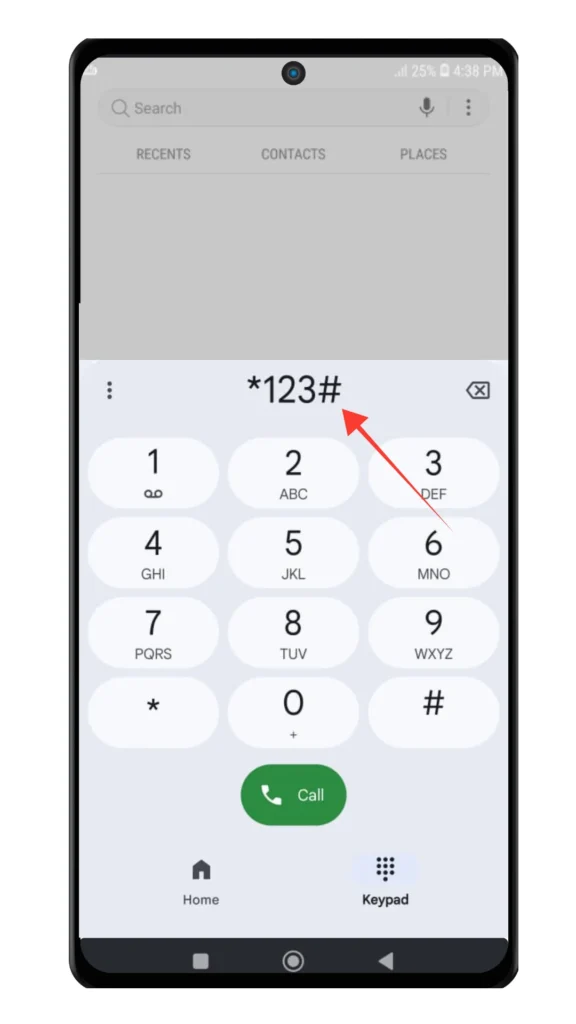
Step 02: From the menu, select option 3 – Activate MNP and Other Services.
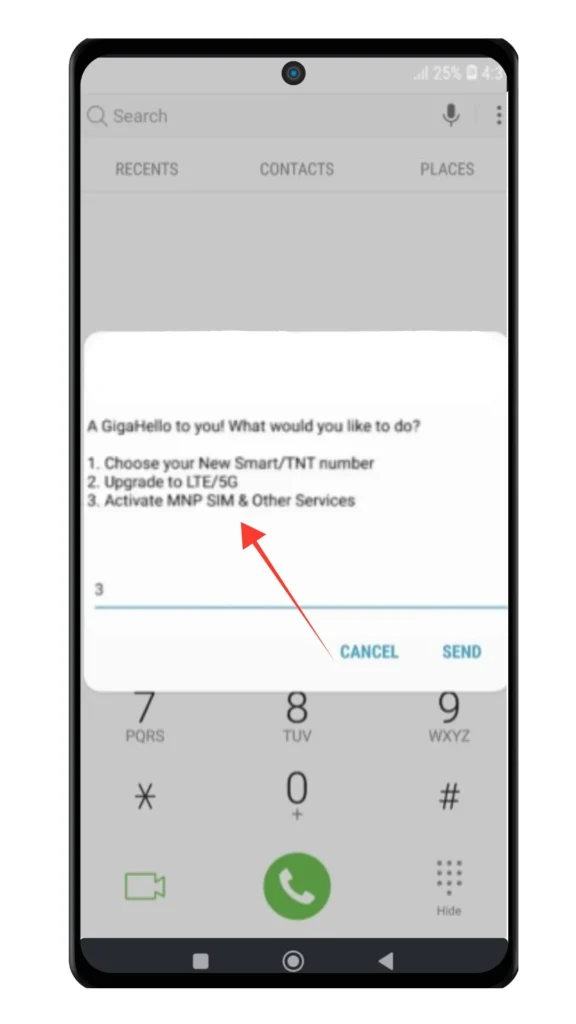
Step 03: Choose Mobile Number & Portability by pressing 1 from the menu.
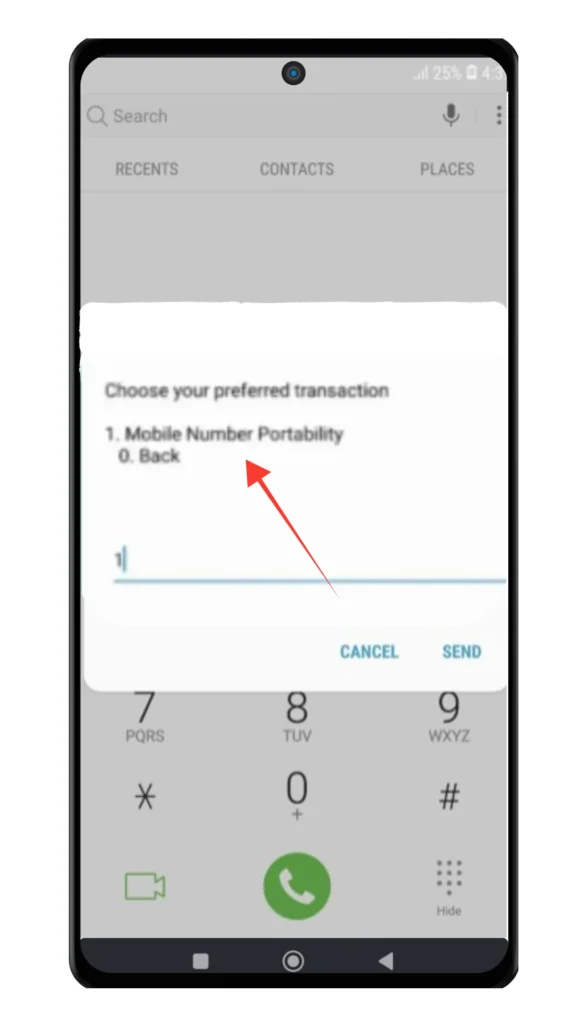
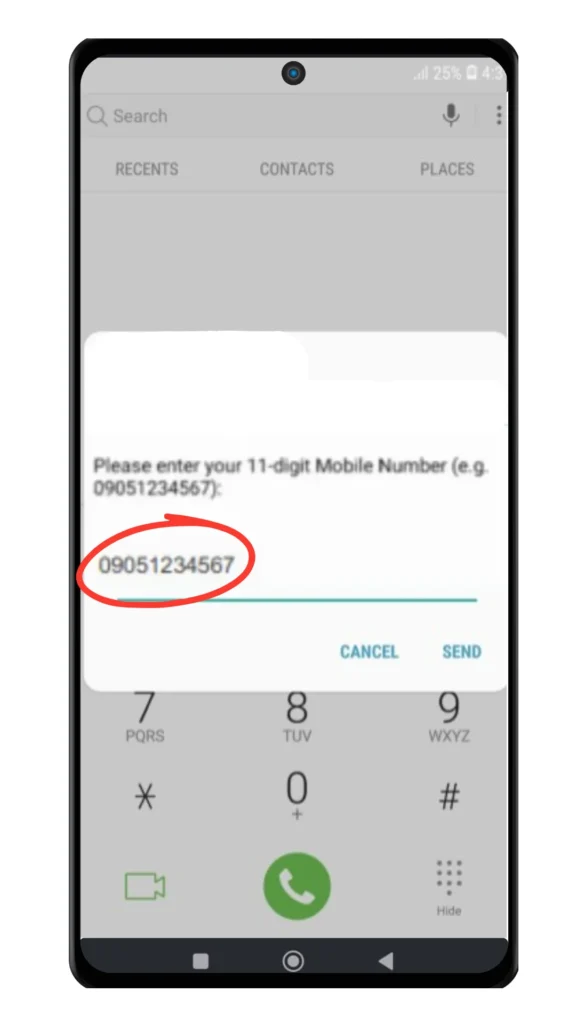
Step 04: Enter your 11-digit mobile number (for example, 09XXXXXXXXX).
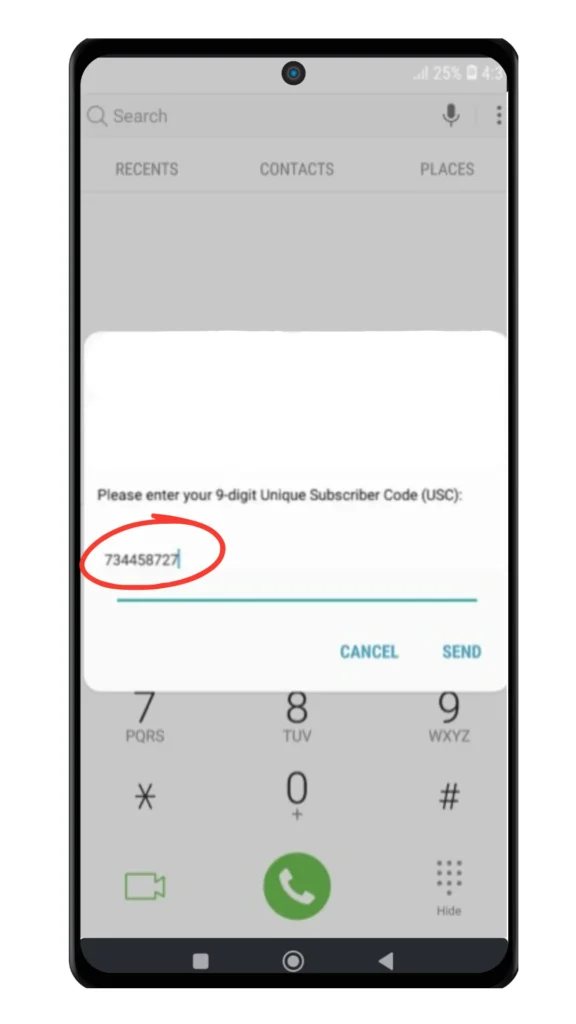
Step 05: Enter your 9-digit Unique Subscriber Code (USC), which was sent to you via SMS.
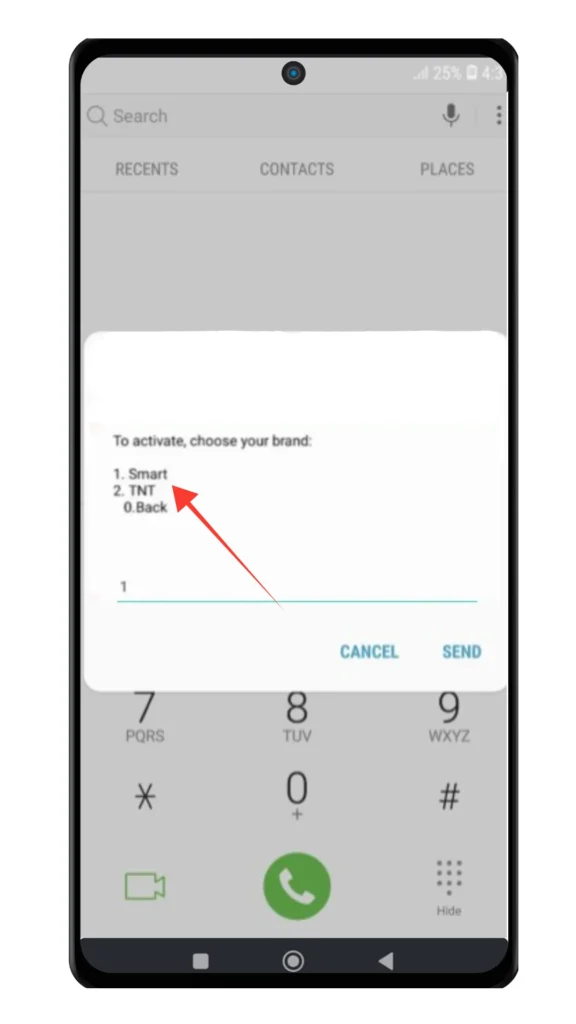
Step 06: Select your SIM brand (Smart) and press 1 to confirm the activation request.
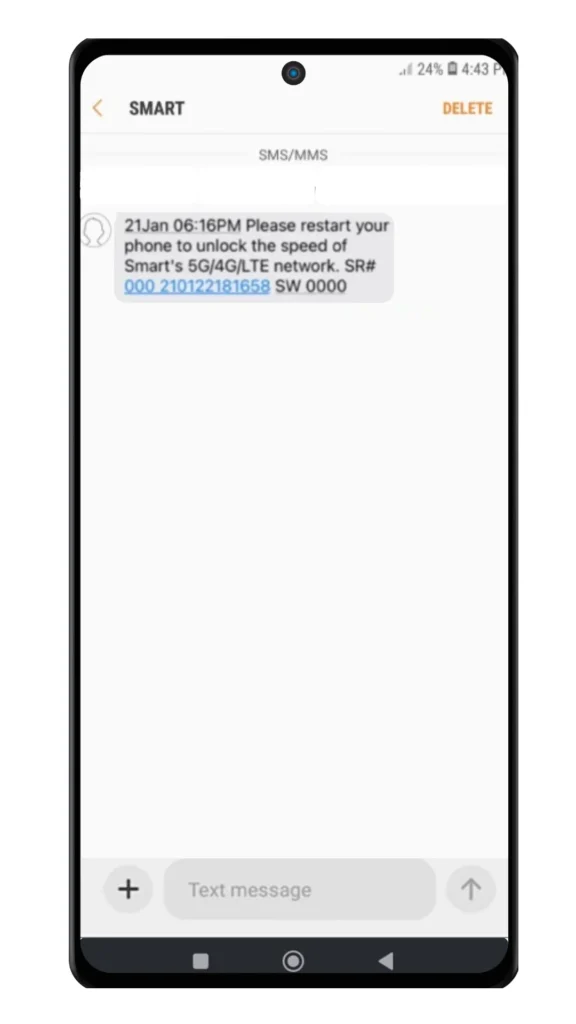
Step 07: Wait for the confirmation SMS, then restart your phone to enable calls, texts, and mobile data services.
For Postpaid Smart SIM Users
Insert the Smart SIM into your phone
After completing your postpaid contract, insert the Smart SIM into your device and power it on.
Account verification
Smart will verify your identity and postpaid plan details. If you applied online or at a Smart Store, this step is usually completed automatically.
Wait for activation
Postpaid Smart SIM activation may take anywhere from a few minutes up to 24 hours. You will receive a confirmation SMS once your SIM is active.
Contact Smart support if delayed
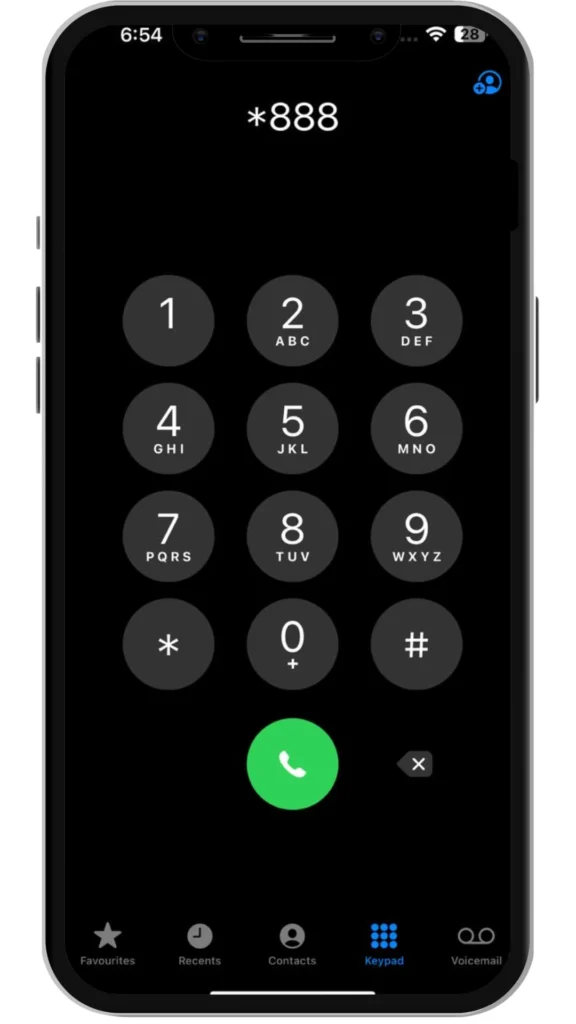
If your Smart SIM is still not active after 24 hours, dial *888 or visit the nearest Smart Store for assistance.
Alternative Ways to Activate Your Smart SIM/ESIM
Smart Communications offers multiple options to activate your Smart SIM, allowing you to choose the method that works best for you.
Activate Smart SIM Through the Smart Website
One of the fastest ways to activate your Smart SIM is through Smart’s official website.
Activate Smart SIM Using the GigaLife App
If you have an internet connection, the GigaLife App provides a simple and convenient activation option.
Activate Smart SIM/ESIM at a Smart Store
For users who prefer in-person assistance, Smart Store activation is also available.

How to Check Smart SIM Activation Status
After completing the Smart SIM activation process, you should verify that your SIM is fully active before using it. Below are the simplest and most reliable ways to check your Smart SIM activation status.
Check the Smart Network Signal
Once the SIM is inserted, look at your phone’s status bar. If you see “Smart” as the network name with signal bars, your SIM is active. If the screen shows “No Service” or “Emergency Calls Only,” the activation is still pending.
Make a Test Call or Send an SMS
Try calling any number or sending a text message. If the call connects or the message is delivered successfully, your Smart SIM is active. Prepaid users should also ensure they have sufficient load.
Verify Using the GigaLife App
Open the GigaLife App and sign in with your Smart mobile number. If you can view your balance, plan details, or usage information, it confirms that your Smart SIM has been activated successfully.
How to Contact Smart & TNT SIM Activation Customer Support
If your Smart/TNT sim is still not active or you need help with activation, you can contact Smart customer support using the following methods:
Smart’s support team will guide you through the activation process and help resolve any issues.
How to Activate Smart SIM for LTE or 5G Upgrade
If you are upgrading your Smart SIM to support LTE or 5G, you need to complete an additional activation step to enable faster data speeds.
Smart Customer Support Contacts
If you experience any issues while activating your Smart SIM, you can contact Smart customer support using the options below for quick assistance.
| Contact Method | Details |
|---|---|
| Landline | Dial (02) 8888-1111 |
| Mobile | Dial *888 from your Smart number |
| Online Chat | Message Smart Philippines on Facebook Messenger |
Smart’s support team can help resolve activation problems and guide you through the next steps.
Also Read: Smart SIM APN Settings 2026
Also Read: How to Pasaload Smart and TNT
Also Read: How to Convert Smart Postpaid to Prepaid
Also Read: How to Borrow Load in Smart
Frequently Asked Questions
Conclusion
Activating a Smart SIM in the Philippines is a quick and simple process once your SIM is properly registered. Whether you are using a prepaid or postpaid SIM, a physical SIM or eSIM, or upgrading to LTE or 5G, activation usually takes only a few minutes. If any issues occur, Smart customer support is available to assist you.