How to Convert Smart Postpaid to Prepaid | Keep Your Number 2026
Short Answer:
To convert Smart Postpaid to Prepaid, make sure your account has no unpaid balance, bring a valid ID, and submit a conversion request at a Smart Store or through your Smart online account. The process usually takes 24 to 48 hours to complete.
Are you still paying monthly bills for a phone line you hardly use? The good news is that in 2026, you can easily switch from Smart Postpaid to Prepaid while keeping your existing number, thanks to the Philippines Mobile Number Portability (MNP) law. This makes the move cheaper, flexible, and completely commitment-free.
Many Filipinos prefer switching from postpaid to prepaid because it helps them manage their spending, choose promos that match their usage, and avoid the pressure of monthly bills.
Difference Between Smart Postpaid and Smart Prepaid
The difference between Smart Postpaid and Smart Prepaid mainly comes down to payment method, flexibility, and long-term commitment. Smart Postpaid involves a monthly billing cycle and a service contract, while Smart Prepaid allows users to load credit and activate promos only when needed.
Smart Postpaid – How It Works
Smart Postpaid operates like a subscription-based mobile plan. Users receive a fixed monthly bill that includes allocated calls, text messages, and mobile data. Most Smart Postpaid plans require a contract that typically lasts 12 to 24 months, which may include bundled services or device offers.
This option is suitable for users who want uninterrupted service, predictable usage, and do not want to worry about reloading credits regularly.
Smart Prepaid – How It Works
Smart Prepaid follows a pay-as-you-go system. Users purchase load whenever they choose and register for prepaid promos such as unlimited texts, call bundles, or data packages. There are no contracts, no monthly bills, and no long-term obligations, making prepaid a flexible and budget-friendly option. It is ideal for users who want full control over their mobile expenses and the freedom to choose promos that match their usage.
This difference is why many users choose to convert Smart postpaid to prepaid for better cost control and flexibility.
Why People Switch to Prepaid in the Philippines
Many Filipinos choose prepaid mobile plans because they offer better
Because of these advantages, prepaid remains a popular and practical choice for many mobile users across the Philippines.
Can You Convert Smart Postpaid to Prepaid Online?
Yes, it is possible to convert Smart postpaid to prepaid online. However, the request must meet Smart’s eligibility rules before it can be approved. Online conversion is available only for accounts that are fully compliant with Smart’s policies.
Smart’s Official Policy on Postpaid to Prepaid Conversion
Smart allows subscribers to switch from postpaid to prepaid as long as the account meets the following conditions:
If your postpaid plan is still within the contract period, Smart may require you to settle early termination charges before processing the conversion.
Requirements Before Switching
Before submitting a conversion request, make sure you have the following ready:
Meeting these requirements helps avoid delays or rejection.
Limitations and Important Conditions
Processing times may vary. In some cases, Smart may take a few working days to complete the request. If online verification is unsuccessful, you may be asked to visit a Smart Store for manual validation.
Once the conversion is complete, all postpaid plan benefits—such as bundled data, free calls, or special add-ons—will no longer apply.
Guide to Convert Smart Postpaid to Prepaid Online
The most convenient way to request conversion is through Smart’s official digital channels, including the Smart app, website, or customer support chat.
Step 01: Prepare Your Account Information
Before starting, gather the following:
Step 02: Use Smart’s Official Online Platforms
You can submit your request through:
Step 03: Submit the Conversion Request
Complete the online form or inform the chat agent of your request.
Step 04: Account Verification
Smart will review your account and verify your identity.
Step 05: SIM or Number Transfer
Once approved, Smart will transfer your existing mobile number from postpaid to prepaid. In most cases, your current SIM will be reconfigured. Occasionally, Smart may issue a new prepaid SIM while keeping the same number.
Step 06: Confirmation and Activation
After processing, Smart will send a confirmation message.
Insert your SIM (or the new prepaid SIM if provided), load credits, and start using prepaid promos immediately.
Processing Time: Usually a few working days. If issues arise, Smart may request an in-store visit.
After processing, Smart will send a confirmation message.
Alternative Ways to Switch from Smart Postpaid to Prepaid
If online conversion is not possible, Smart offers other reliable options.
1. Visit a Smart Store in the Philippines
Visiting a Smart Store is often the fastest and most reliable method.
What to do at the store:
Bring a valid government ID and your Smart account number
- Request postpaid-to-prepaid conversion
- Obtain your Unique Subscriber Code (USC) by:
- Texting GETPIN to 7927 using your postpaid SIM, or
- Requesting the USC directly from Smart staff.
The USC is valid for 15 days and required for Mobile Number Portability.
- Settle any unpaid bills or contract fees
- Submit your ID, USC, and request form
The staff will either reconfigure your SIM or provide a new prepaid SIM with the same number.

2. Call the Smart Hotline
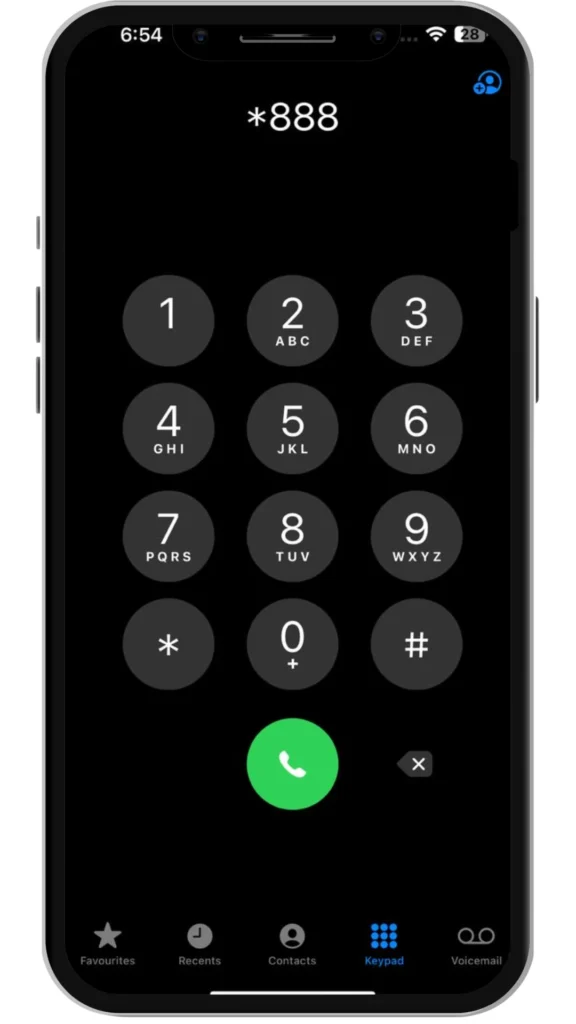
If you need assistance before proceeding, you can call 888 using your Smart number.
- Choose the option to speak with customer support
- Request postpaid-to-prepaid conversion
- The agent will check your account and guide you on next steps
You may still be asked to submit documents online or visit a Smart Store for final verification.
3. Authorized Smart Centers and Retail Partners
Some authorized Smart retailers and partner outlets can assist with conversion requests.
- Always confirm the outlet is officially authorized
- Complex cases (contracts, unpaid balances) may still require a Smart Store visit
Tip: If you live in an area without a Smart Store, call the hotline first to confirm your nearest option.
Tips Before Switching from Smart Postpaid to Prepaid
Before making the switch, consider these important points:
- Review your usage: If you consume heavy data monthly, prepaid may require frequent reloading
- Check prepaid promos: Explore Smart prepaid offers in the GigaLife app
- Clear all balances: Conversion will not proceed with unpaid bills
- Back up your data: Save contacts and messages in case a SIM replacement is issued
- Confirm contract status: Check for any applicable early termination fees
Conclusion
Switching from Smart Postpaid to Prepaid in 2026 is a practical choice for users who want flexibility and control over their mobile expenses. Prepaid allows you to choose when to load, which promos to use, and how much to spend without monthly bills or contracts.
Before converting, ensure your account is fully settled and your contract obligations are cleared. Exploring prepaid promos in advance can also help you choose the best option for your daily usage.If budget control and flexibility matter to you, Smart Prepaid may be a better fit for your lifestyle.
Read: Activate Smart SIM Guide
Read: How to Borrow Load in Smart
Read: Smart SIM APN Settings 2026
Read: How to Pasaload Smart and TNT