Smart SIM Balance Check in Philippines | USSD, SMS, App & Online
Smart SIM balance check is an essential task for Smart Communications users in the Philippines. By checking your Smart SIM balance regularly, you can easily track your remaining load, mobile data usage, and active promo validity. This helps you avoid unexpected call drops, data disconnections, or expired promos.
In this guide, you will learn all official and working methods for Smart SIM balance check, including USSD codes, SMS, calls, mobile app, and online options. All methods explained below are accurate, safe, and suitable for everyday Smart SIM users.
Why Smart SIM Balance Check Is Important
Performing a Smart SIM balance check allows you to:
Because Smart SIM services depend on load and promo availability, balance checking is a basic but very important habit.
Smart SIM Balance Check Methods (Overview)
Smart Communications provides multiple ways to perform a Smart SIM balance check. These methods work both with and without internet access
| Method | Internet Required | Cost |
| USSD Code (*123#) | No | Free |
| Shortcut Code (*221#) | No | Free |
| SMS (BAL to 214) | No | Free |
| Call (888 / 1515) | No | 888 Free / 1515 ₱1 |
| GigaLife App | Yes | Free |
| Smart Online Dashboard | Yes | Free |
Smart SIM Balance Check via USSD Code (*123#)
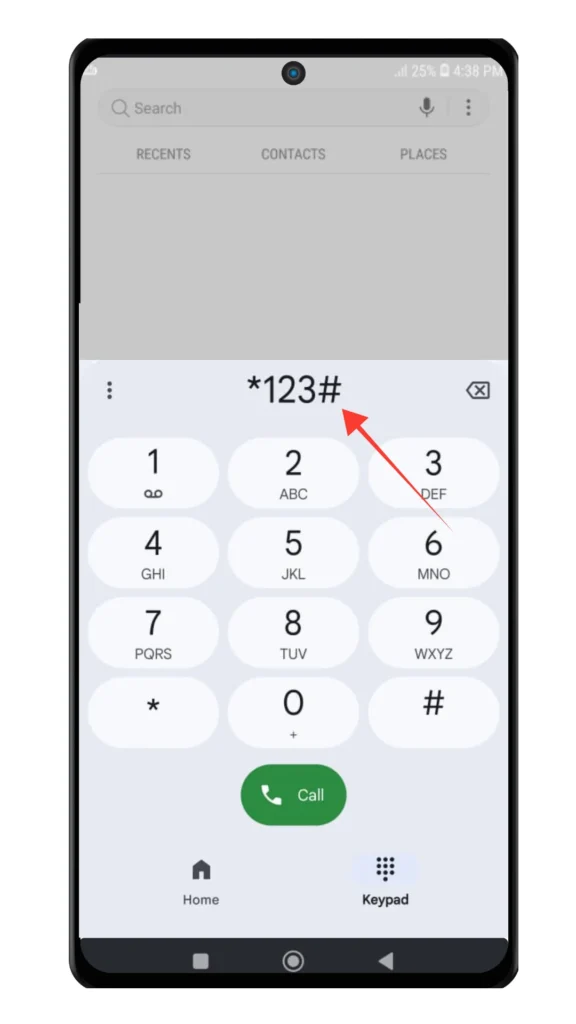
This is the most widely used and reliable Smart SIM balance check method. It works on all phones and does not require internet access.
Steps:
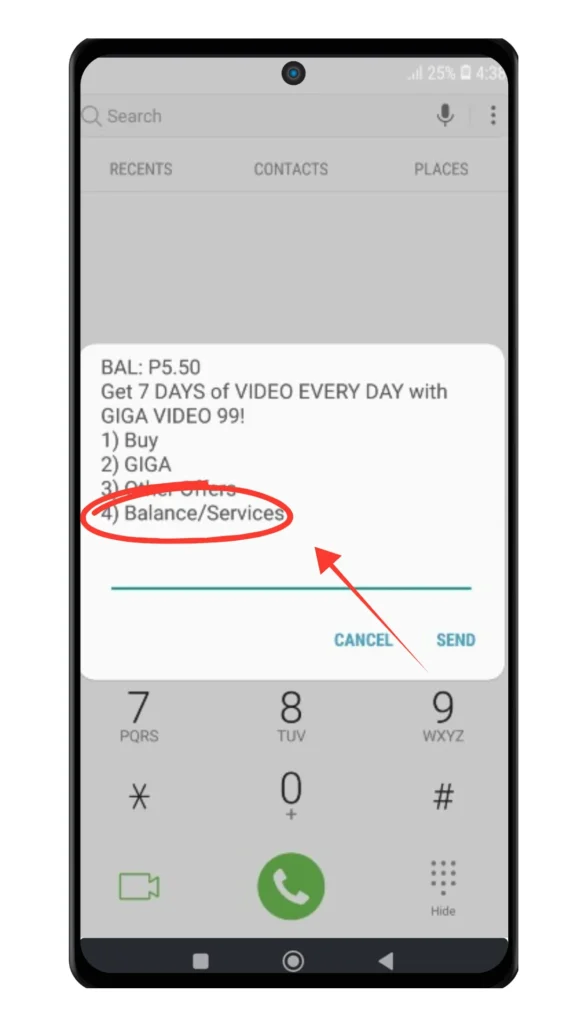
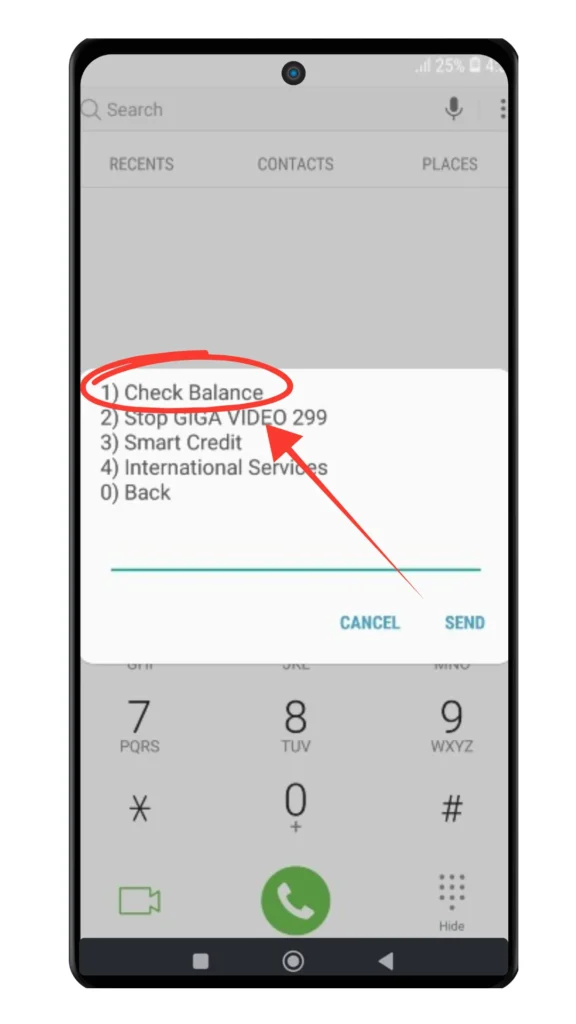
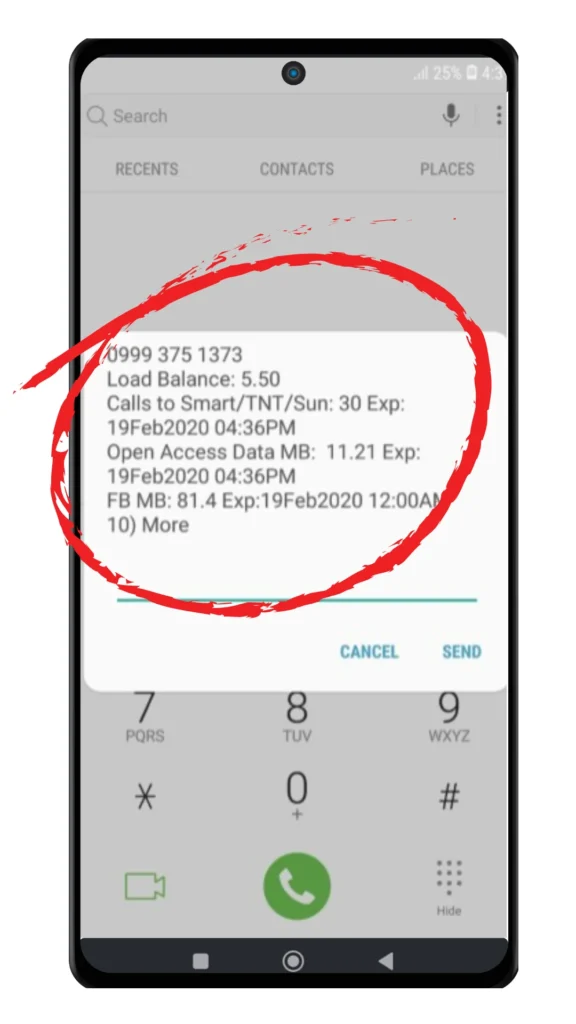
To check your data balance, select options such as Check Usage or Data Balance from the same menu.
Key benefits:
Smart SIM Balance Check Using Shortcut Code (*221#)
For a faster Smart SIM balance check, Smart also provides a shortcut code.
Steps:
This method is ideal if you only want to see your current load balance quickly.
Smart SIM Balance Check via SMS (BAL to 214)
Smart SIM balance check can also be done through SMS.
Steps:
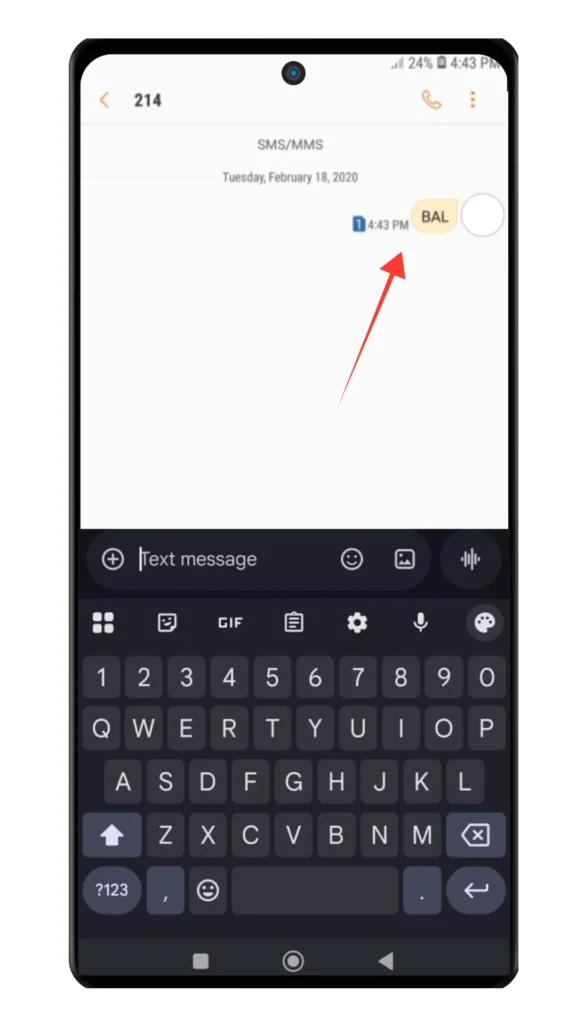
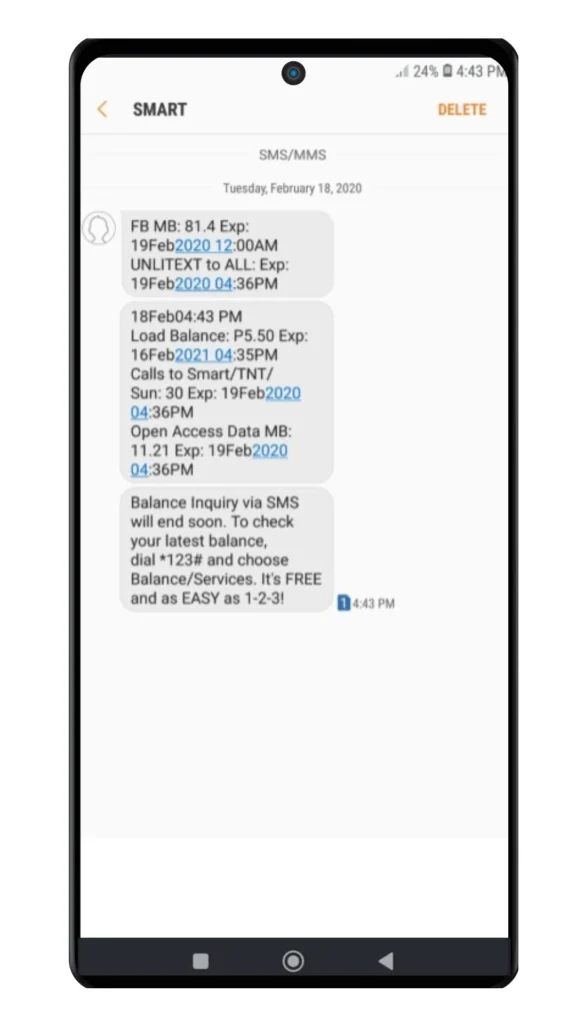
Why use SMS balance check:
Smart SIM Balance Check by Call (888 or 1515)
If you prefer voice instructions, you can check your Smart SIM balance by calling Smart’s service numbers.
Steps:
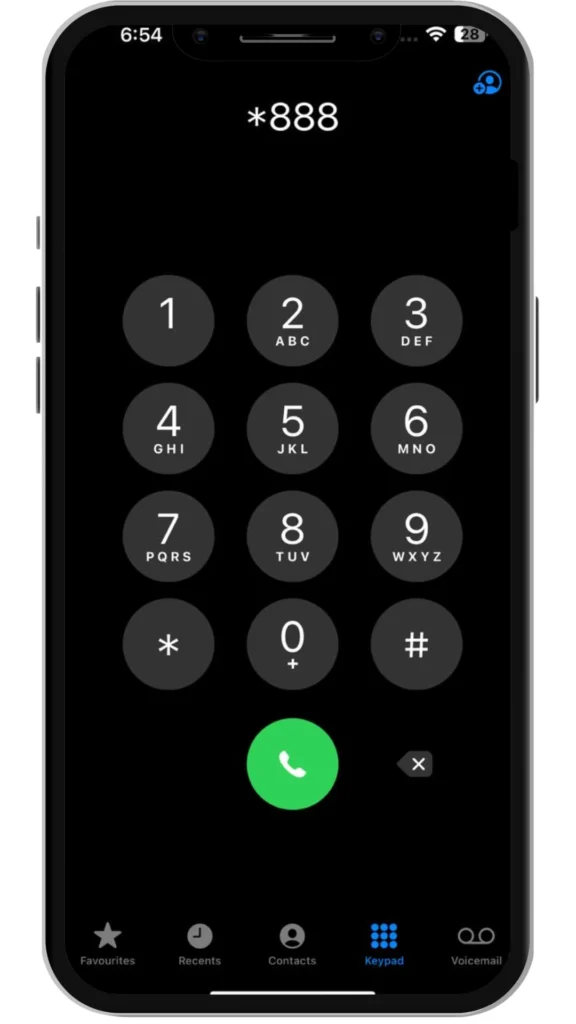
Charges:
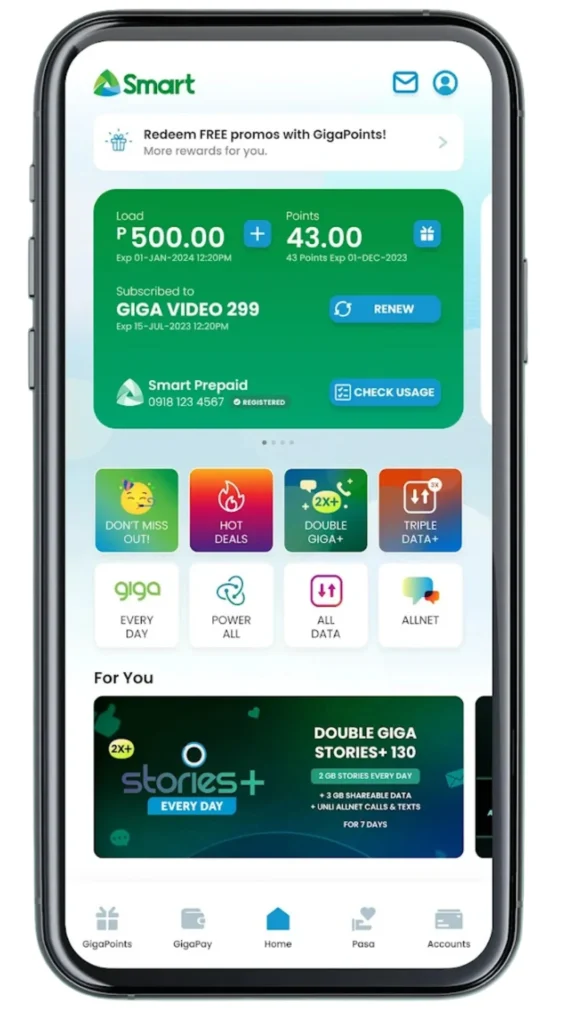
Smart SIM Balance Check Using GigaLife App
The Smart GigaLife App is the most complete digital method for Smart SIM balance check.
Using the app, you can:
How to use it:
Smart SIM Balance Check Online (Smart Dashboard)
You can also perform a Smart SIM balance check online through Smart’s official website.
Steps:
This method is useful if you want detailed account information in one place.
How to Check Your Smart Postpaid Balance
If you are using a Smart postpaid plan, checking your current balance is quick and easy. One way to do this is by sending the word BILL to 211 through SMS. You will receive a message showing your latest billing details.
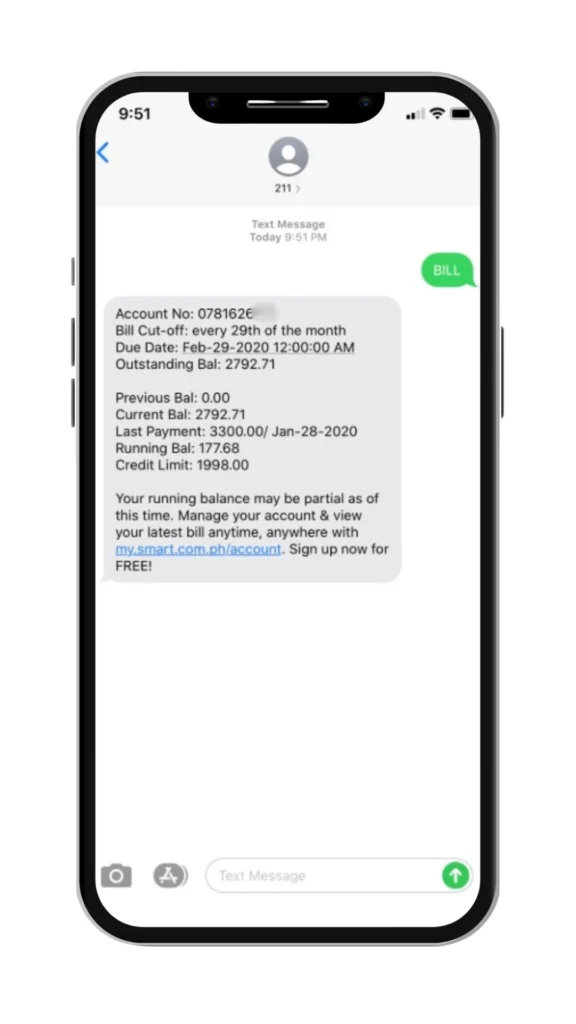
You can also view your postpaid balance through the myPLDT Smart app. The app allows you to monitor your usage, review past bills, and check upcoming payment deadlines all in one place.
How to Check Promo Status and Expiry on Smart SIM
Checking promo status is part of Smart SIM balance check and helps you avoid losing unused data or call minutes.
Ways to check promo status:
Some Smart promos, such as Magic Data, do not expire until fully used, making balance tracking even more important.
Smart SIM Balance Check Not Working? (Troubleshooting)
If your Smart SIM balance check is not working, try the following:
If the issue continues, contact Smart Customer Support at 888.
Also Read: Smart SIM Replacement
Also Read: How to Convert Smart Postpaid to Prepaid
Also Read: How to Get PUK Code for Smart SIM in 2026
Also Read: How to Borrow Load in Smart
Also Read: How to Register Smart Bro SIM in Philippines?
Frequently Asked Questions
Conclusion:
Smart SIM balance check is an important habit for all Smart users in 2026. By using official methods like *123#, *221#, SMS, the GigaLife App, or the Smart online dashboard, you can easily monitor your remaining load, data usage, and promo validity. Regularly checking your balance helps prevent unexpected call drops, data interruptions, and expired promos, ensuring a smooth and uninterrupted Smart mobile experience.